Step-by-Step: How to Get and Use the Austrian Vignette
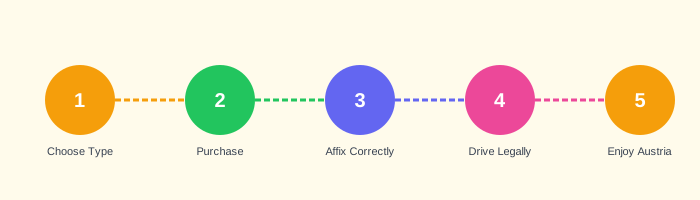
- Determine Your Needs
Assess how many days you will use Austrian motorways, whether you are driving a car or motorcycle, and whether you have a trailer. Check your vehicle's gross weight to confirm it is under 3.5 tonnes. If your vehicle exceeds this limit, you will need the GO-Box system instead. → Vehicle Categories - Choose the Right Vignette Type
Based on your travel duration, select the 10-day, 2-month, or annual vignette. Use the selection matrix on the Services page to compare options. Consider whether you will make multiple trips to Austria within the validity period. - Select Your Purchase Channel
Decide whether to purchase a digital vignette (recommended for advance planning) or a physical sticker. The digital vignette is available at asfinag.at and the ASFINAG app. Physical stickers are available at Austrian petrol stations, border shops, and tobacco shops (Trafik). → View Pricing - Complete the Purchase
For digital vignettes: enter your vehicle registration plate number exactly as it appears on your registration document. Select the start date. Complete payment. You will receive a confirmation email — keep this for your records. For physical stickers: purchase at an authorised point of sale and retain the receipt. - Digital Vignette: Verify Activation
After purchasing a digital vignette, verify that it is correctly registered by checking the ASFINAG website or app using your registration plate number. The vignette becomes active on the selected start date. You do not need to do anything further — the system is automatic. - Physical Sticker: Correct Placement
Affix the physical sticker to the inside of the windscreen in the upper left corner (from the driver's perspective). If there is a heating element or tinting in that area, place it behind the rear-view mirror. The sticker must be fully visible from outside. Do not place it on a removable holder or any surface other than the glass.Placement checklist: Inside windscreen • Upper left corner or behind mirror • Fully visible from outside • Not on a removable holder • Not transferred from another vehicle - Verify Compliance Before Entering Motorway
Before entering the Austrian motorway network, confirm that your vignette (digital or physical) is valid for the current date and for your specific vehicle. Check that the physical sticker is properly affixed and not damaged. For digital vignettes, confirm the registration plate matches your vehicle. - Check for Special Toll Roads on Your Route
Review your planned route for any roads that require additional tolls beyond the vignette. Key routes to check include the Brenner (A13), Arlberg (A14), Karawanken (A11), and Tauern (A10) motorways. Have cash or a payment card available for these toll booths. → Special Toll Prices - During Your Journey
Drive normally on Austrian motorways. Enforcement cameras will automatically check digital vignettes. Police may conduct spot checks for physical stickers. If stopped, present your vignette and vehicle documents. If you have a digital vignette, you can show the confirmation email on your phone as supporting documentation. - After Your Journey
If you purchased a physical sticker and plan to use the same vehicle on future trips, the sticker remains valid until its expiry date. For annual vignettes, note the expiry date (31 January of the following year) and plan your next purchase accordingly. Keep your purchase receipts for at least the duration of the vignette's validity.